 MOVIE-ADE
Open source · Bring your own keys · macOS, Windows, Linux
Show it. Say it.
Your agent proves it’s done.
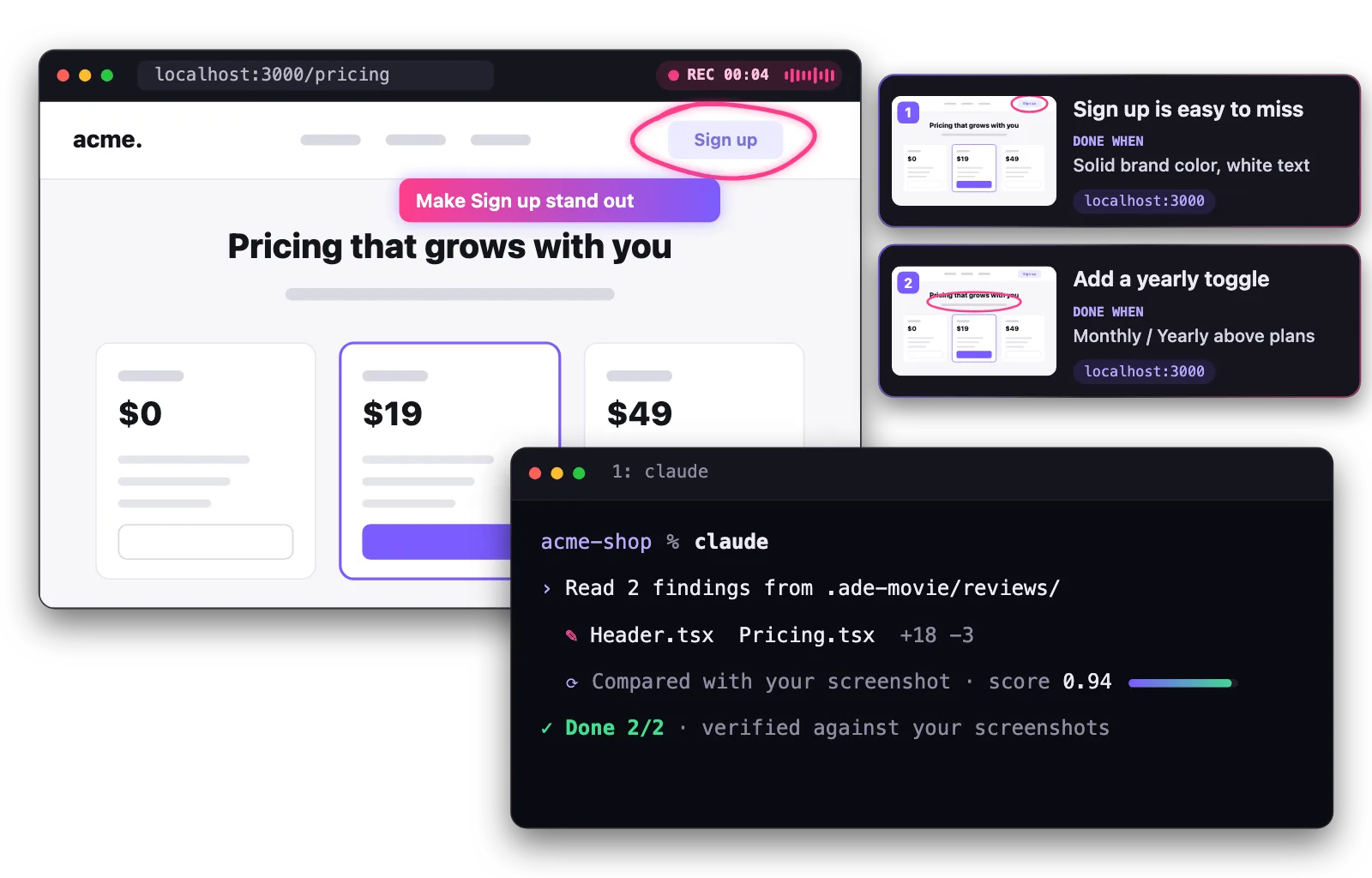
Circle what’s wrong on the real screen and talk it through, alone or live in a meeting. MOVIE-ADE turns the recording into findings. Your coding agent fixes each one and checks it against your screenshot until it passes.
Works with Claude Code, Codex, Gemini CLI, Cursor, GitHub Copilot, Devin and 40+ CLI agents.
- Your recordings and findings never leave your machine
- Never billed by us
- On-device whisper and Ollama cost nothing
- Crash reports only, and you can turn them off
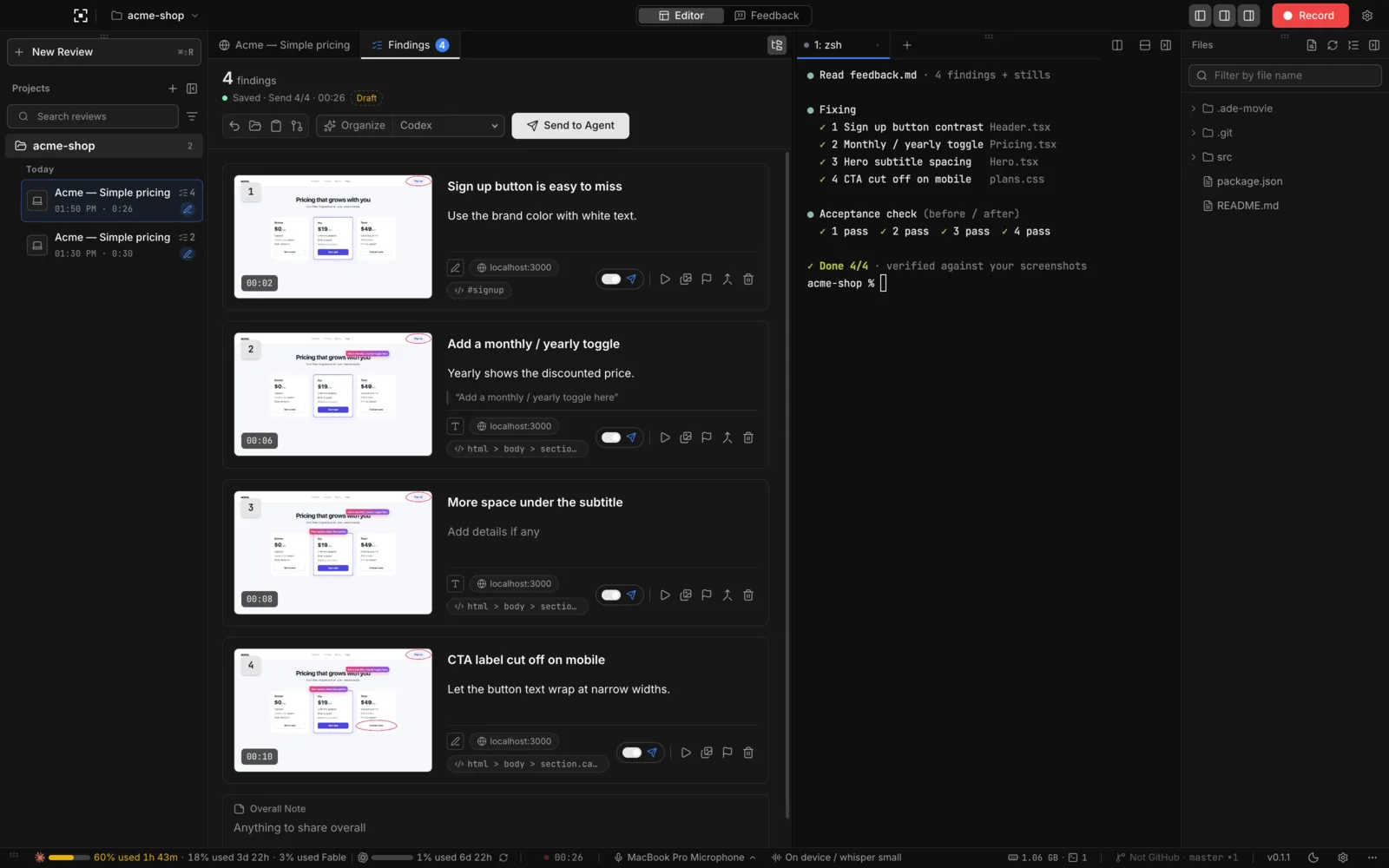
Illustration (staged): the findings panel and an agent terminal after verification.
01 · Feedback by showing it
Point at it and say it. That’s the whole ticket.
No more writing tickets or pasting screenshots into chat. Use your app in the built-in browser, circle what bothers you and say what you want. Each moment becomes a finding: a still with your pen marks, your words, the URL, and a clear “Done when” your agent can check.
- Pen, voice and typed notes, mixed freely
- Desktop and mobile widths
- Edit, merge or drop findings before sending
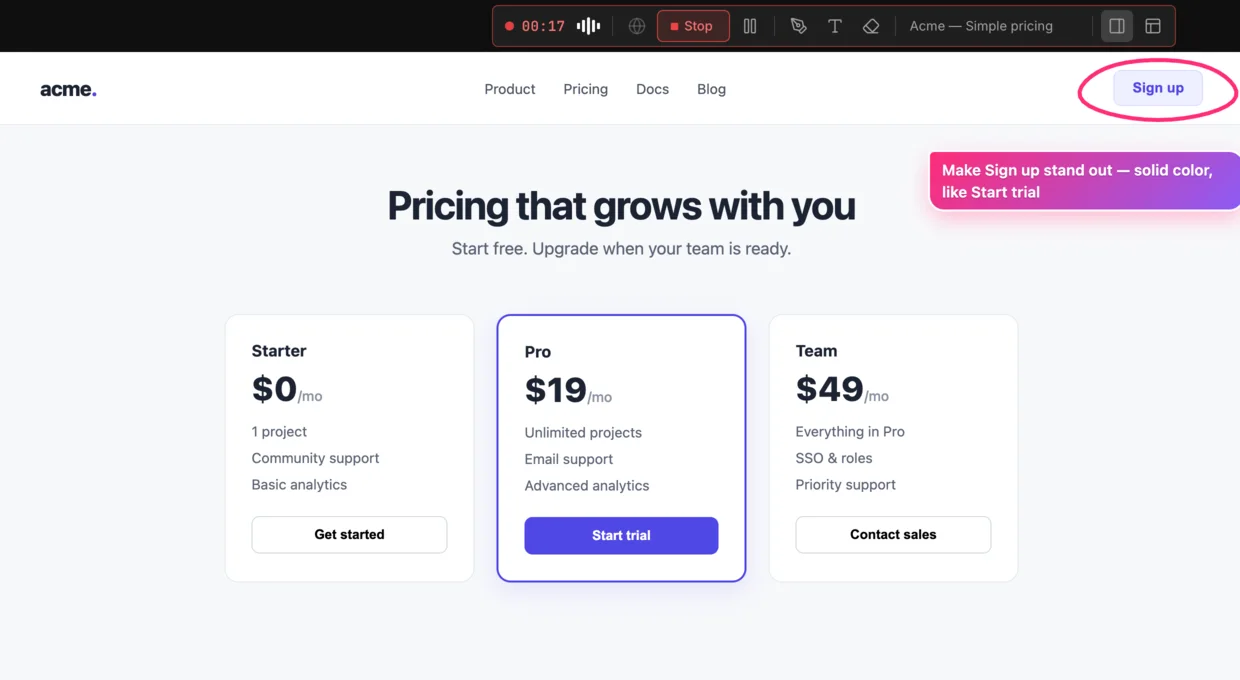
Your agent gets findings, not footage.
## 1. Sign up is easy to miss
- Request: solid brand color, white text
- Said: "This button barely looks clickable."
- Done when: it matches the Start trial button
- Image: ./01.png  URL: localhost:3000
02 · Verified, not just “done”
Your agent checks its own work against your screenshot.
After implementing a finding, the agent takes a fresh screenshot and asks a decision model one question: does this match what was asked? It keeps going until every finding passes, then reports Done or Not done, with a score for each.
No more “I think it’s fixed.”
Decision modelsTypeSafe Jev · Cloudflare Clef / Clef Flash (Ollama or Workers AI) · Vercel AI Gateway · any compatible API
Bring your own key: you pay your provider directly. MOVIE-ADE never charges.
- 1Sign up is easy to missDone 0.94
- 2Add a yearly toggleDone 0.91
- 3Button cut off on mobileNot done 0.42 · retryingDone 0.89
03 · Live in meetings
Record the review. Leave with the fix list.
Run it in a design review around one screen, or while screen-sharing on Zoom, Meet or Teams. Everyone talks through what they see while you record the built-in browser, any window or the whole screen. The conversation becomes a findings list your agent can act on, not meeting notes nobody reads.
- In person
- Zoom · Meet · Teams
- Browser, window or whole screen
“The CTA gets lost up there.”
“We need a yearly option.”
“On mobile the button is cut off.”
Findings
- 1Sign up is easy to miss
- 2Add a yearly toggle
- 3Button cut off on mobile
Send to agent
How it works
Record. Review. Verify.
-
01
Record
Use your app, circle and talk. In a meeting, everyone can chime in.
-
02
Findings
Stop recording. Each moment is a finding with a still, your words, the URL and “Done when”.
-
03
Implement and verify
Send to your agent. It implements each finding and checks it against your screenshot until it passes.
Works with your agents
Your agent, launched for you.
MOVIE-ADE starts CLI agents in its built-in terminals and hands them the findings. They run on the subscriptions you already have.
 Claude Code (opens in a new tab)
 Codex (opens in a new tab)
 Gemini CLI (opens in a new tab)
 Cursor (opens in a new tab)
 GitHub Copilot (opens in a new tab)
 Devin (opens in a new tab)
 OpenCode (opens in a new tab)
 Amp (opens in a new tab)
 Goose (opens in a new tab)
 Kiro (opens in a new tab)
 Droid (opens in a new tab)
 Cline (opens in a new tab)
 Grok (opens in a new tab)
 Antigravity (opens in a new tab)
 Qwen Code (opens in a new tab)
 Kimi (opens in a new tab)
- …and 31 more
Web apps
Open your dev server URL in the built-in browser.
Mobile
Switch to a mobile width, or record a simulator window.
Desktop apps
Record any window. Save each as a project target.
Private by design · Open source
Your keys. Your machine. Your repo.
No MOVIE-ADE account, no backend. Transcription and organizing run on your device or go to the provider you choose; the agent’s decision-model calls go to your key through a local relay. The code is MIT-licensed on GitHub.
- Keys stay in your OS keystore. Keychain, DPAPI or libsecret, stored apart from settings.
- Videos are never sent to agents. Findings and stills are saved in
.ade-movie/in your project. - Free and open source. MIT licensed. Read it, fork it, run it.
Show it once. Watch it get done.
Free to use, on your own keys.
macOS
- Apple silicon / Intel · .dmg
Tested on Apple silicon.
Windows Preview
- x64 / Arm64 · Installer (.exe)
Preview build. Tell us what breaks (opens in a new tab).